Masking Tools in Lightroom: The Secret Weapon for Surgical Edits

Masking Tools in Lightroom: The Secret Weapon for Surgical Edits

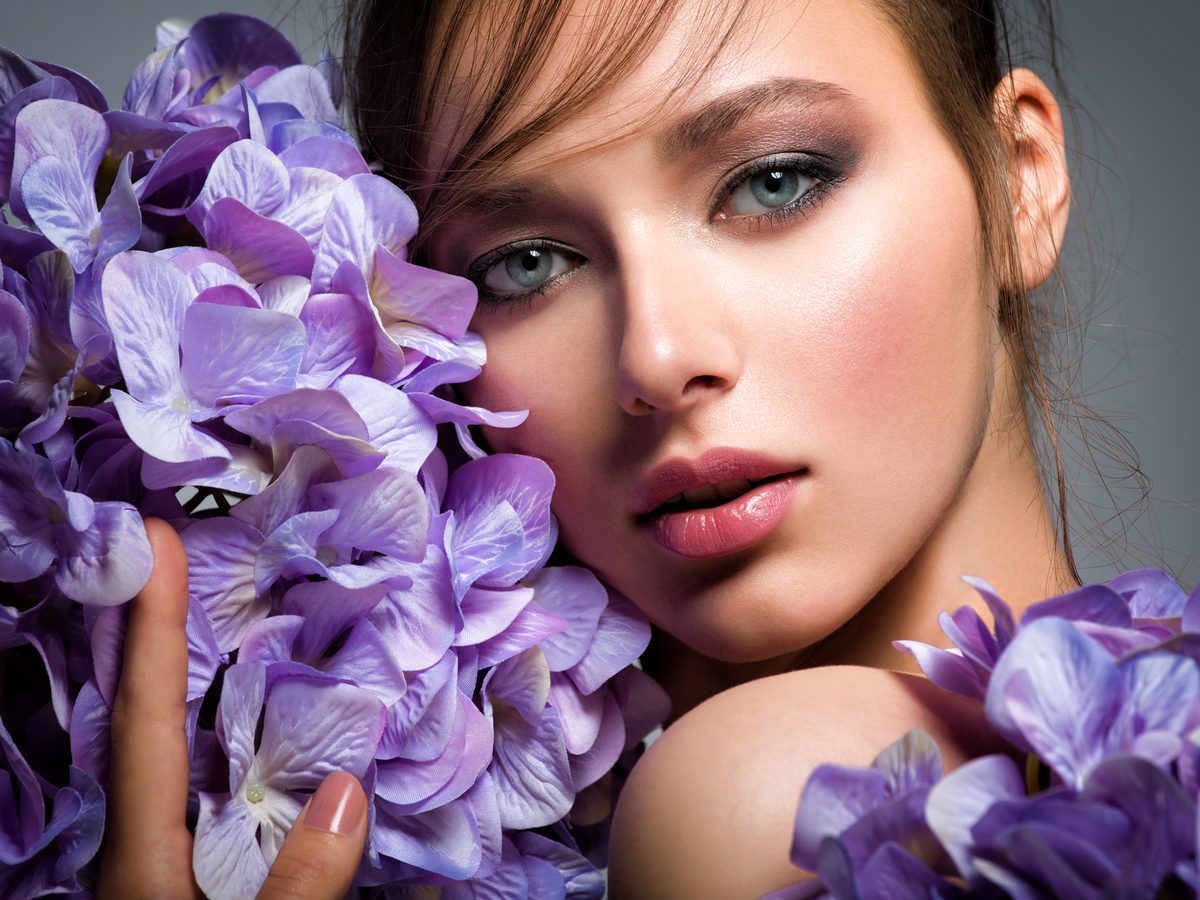
Masking Tools in Lightroom: The Secret Weapon for Surgical Edits I used to edit photos like I was applying makeup with oven mitts on—crude, imprecise, and affecting way more than I intended. Then I discovered Lightroom’s masking tools, and everything changed. Suddenly, I could brighten someone’s eyes without blowing out their entire face. I could warm up skin tones while keeping the sky perfectly cool. It’s the difference between using a sledgehammer and a scalpel.

The Color Grading Blueprint: How to Match Any Mood in Lightroom

The Color Grading Blueprint: How to Match Any Mood in Lightroom

The Color Grading Blueprint: How to Match Any Mood in Lightroom I used to think color grading was magic—the kind of thing only professionals with mysterious knowledge could pull off. Then I realized it’s actually a language. Once you learn to speak it, you can make your photos whisper, shout, or sing whatever emotional note you want. Here’s what changed everything for me: understanding that color grading isn’t about making things look “better.

Masking Tools in Lightroom: The Secret Weapon for Precision Editing

Masking Tools in Lightroom: The Secret Weapon for Precision Editing

Masking Tools in Lightroom: The Secret Weapon for Precision Editing I used to edit entire photos with a sledgehammer approach—crank up the exposure, boost the vibrance, call it a day. Then I discovered Lightroom’s masking tools, and honestly, it was like going from a flip phone to an iPhone. Suddenly, I could sculpt light instead of just bathing my entire image in it. If you’re still applying blanket adjustments across your whole photo, you’re leaving serious creative potential on the table.

The Dehaze Tool: When to Use It and When to Stop

The Dehaze Tool: When to Use It and When to Stop

The Dehaze slider is one of Lightroom’s most powerful and most abused tools. In the right situation, it transforms a flat, hazy image into something vivid and clear. Applied carelessly, it creates crunchy, oversaturated, haloed messes. Understanding what it actually does helps you use it well. What Dehaze Does Technically, Dehaze estimates the atmospheric haze in an image and reduces it by increasing local contrast and restoring color saturation in areas affected by haze.

The Art of Color Grading in Lightroom: Moving Beyond Auto Tone

The Art of Color Grading in Lightroom: Moving Beyond Auto Tone

The Art of Color Grading in Lightroom: Moving Beyond Auto Tone I used to think color grading was something only Hollywood colorists did in million-dollar studios. Then I realized I’d been looking at it all wrong. Every time you scroll through Instagram and see a photo that just hits differently—that moody blue hour portrait, that sun-soaked travel shot with buttery golden tones—that’s color grading. And I’m here to tell you that you absolutely can master it in Lightroom.

Mastering the Tone Curve in Lightroom: Your Secret Weapon for Professional Color Grading

Mastering the Tone Curve in Lightroom: Your Secret Weapon for Professional Color Grading

Mastering the Tone Curve in Lightroom: Your Secret Weapon for Professional Color Grading When I first started editing photos seriously, I lived and died by the Exposure slider. More light? Turn it up. Too dark? Crank it higher. It worked, sure—but it felt like using a sledgehammer when I needed a scalpel. Then I discovered the tone curve, and everything changed. The tone curve is where amateurs become professionals. It’s the difference between a photo that looks “edited” and one that looks intentional.

Mastering the Tone Curve in Lightroom: Transform Your Photos Like a Pro

Mastering the Tone Curve in Lightroom: Transform Your Photos Like a Pro

Mastering the Tone Curve in Lightroom: Transform Your Photos Like a Pro When I first opened Lightroom’s tone curve panel, I felt like I’d unlocked the cheat code to professional-looking edits. While the Basic panel handles the heavy lifting, the tone curve is where the magic happens. Think of it as the difference between a solid Marvel movie and one that actually wins awards—same foundation, infinitely more refinement. What Is a Tone Curve, Actually?

Mastering Lightroom Export Settings: The Difference Between Good and Wow

Mastering Lightroom Export Settings: The Difference Between Good and Wow

Mastering Lightroom Export Settings: The Difference Between Good and “Wow” I used to be that person. You know the one—I’d spend two hours color grading a portrait, nail the skin tones, get the highlights just right, hit export with default settings, and then wonder why the photo looked flat and lifeless on Instagram. Turns out, export settings aren’t just technical minutiae. They’re the final boss between your vision and what everyone else actually sees.

Mastering the Tone Curve in Lightroom: Transform Your Images with Precision

Mastering the Tone Curve in Lightroom: Transform Your Images with Precision

Mastering the Tone Curve in Lightroom: Transform Your Images with Precision I’ll be honest—when I first opened Lightroom’s tone curve panel, I felt like I was staring at a financial spreadsheet. Lines. Graphs. Numbers. Not exactly inspiring. But then I realized something: the tone curve isn’t complicated at all. It’s actually the most intuitive way to control your image’s mood, contrast, and personality. Think of the tone curve as a control panel for every brightness level in your photo.

Mastering HSL Adjustments in Lightroom: The Secret to Surgical Color Control

Mastering HSL Adjustments in Lightroom: The Secret to Surgical Color Control

Mastering HSL Adjustments in Lightroom: The Secret to Surgical Color Control I used to think Lightroom’s HSL panel was overkill. Why adjust individual colors when you can just tweak the overall exposure and call it a day? Then I spent an afternoon editing a portrait where the subject’s skin tone was slightly too orange, and I realized I’d been leaving money on the table for years. HSL stands for Hue, Saturation, and Luminance—and it’s the closest thing we have to a scalpel in Lightroom’s toolkit.

Master HSL Adjustments in Lightroom: Transform Your Colors Like a Pro

Master HSL Adjustments in Lightroom: Transform Your Colors Like a Pro

Master HSL Adjustments in Lightroom: Transform Your Colors Like a Pro I discovered HSL adjustments about three years into my Lightroom journey, and honestly, I felt robbed of those years. This tool changed everything about how I approach color grading—it’s like going from adjusting the master volume on your entire song to having individual faders for each instrument. HSL stands for Hue, Saturation, and Luminance, and it’s one of the most underrated features in Lightroom’s develop module.

Masking Tools in Lightroom: Precision Editing for the Modern Photographer

Masking Tools in Lightroom: Precision Editing for the Modern Photographer

Masking Tools in Lightroom: Precision Editing for the Modern Photographer I used to spend hours trying to brighten a subject’s face without blowing out the background. Then I discovered Lightroom’s masking tools, and honestly? It changed everything. What used to feel like color grading with oven mitts suddenly became precise, intentional, and—dare I say—fun. If you’ve ever wanted to edit only the sky without affecting the landscape below it, or enhance skin tones while keeping everything else untouched, masking is your answer.