Why Lightroom Feels Sluggish (And the Import Setting That Fixes Most of It)

Why Lightroom Feels Sluggish (And the Import Setting That Fixes Most of It)

There’s a certain irony in spending more time waiting for Lightroom to load a photo than you spent actually taking it. I’ve been there more times than I’d like to admit. Early in my editing career, I chalked slow performance up to some cosmic tax on creative work. Turns out, most of it was self-inflicted. A few wrong settings, an underpowered drive, and a catalog stored in the worst possible location will bring even a capable machine to its knees.

Batch AI Noise Reduction in Lightroom Classic Finally Works the Way It Should

Batch AI Noise Reduction in Lightroom Classic Finally Works the Way It Should

There’s a specific kind of frustration that comes from knowing a tool can do something, but making it do that thing requires jumping through hoops that feel completely backwards. For a while, batch AI noise reduction in Lightroom Classic was exactly that. You’d select your photos, run Denoise, and Lightroom would churn out a pile of duplicate DNG files alongside your originals. Your folder looked like a parking lot after a fender bender.

The Lightroom Variance Tool Is Quietly Fixing My Worst Sky Photos

The Lightroom Variance Tool Is Quietly Fixing My Worst Sky Photos

There’s a shot I’ve taken probably a hundred times at Radnor Lake. Wide angle, polarizing filter, golden hour. The composition is solid every time. The sky ruins it about half the time. Not because of clouds or blown highlights, but because of that banded, uneven blue you get when you shoot wide with a polarizer. One side of the sky goes deep navy. The other fades to something closer to periwinkle.

Lightroom's AI Portrait Masking Just Changed How I Edit Every Single Face

Lightroom's AI Portrait Masking Just Changed How I Edit Every Single Face

Portrait retouching used to be the part of my workflow where I’d flip the record, make a cup of coffee, and mentally prepare for fifteen minutes of tedious mask-building before I could do anything creative. Painting in skin masks, dodging around hair, trying to isolate the whites of someone’s eyes without accidentally selecting their eyelid - it was the editing equivalent of untangling headphone cables. Necessary, fine, but nobody’s favorite part of the job.

Lightroom Classic 10: What Actually Changed and Why the Catalog Upgrade Is Smarter Than You Think

Lightroom Classic 10: What Actually Changed and Why the Catalog Upgrade Is Smarter Than You Think

Every October, Adobe throws their Max conference and drops a round of updates across the Creative Cloud suite. For Lightroom Classic users, that usually means a new version number, a mandatory catalog upgrade, and a scramble to figure out what actually changed. I’ve been through this cycle enough times that I used to dread it. A new catalog always felt like handing your library to a slot machine and hoping everything came out intact.

Share a Photo Gallery With Anyone in Minutes Using Lightroom Classic's Built-In Web Feature

Share a Photo Gallery With Anyone in Minutes Using Lightroom Classic's Built-In Web Feature

Every December I edit a batch of photos I’ll never sell, never print, and never submit anywhere. They’re family shots, gig photos, candid stuff from the year. For a long time those images just lived on my hard drive in RAW format, which means they effectively didn’t exist as far as anyone else was concerned. I’d tell myself I’d get around to exporting them, uploading them somewhere, maybe building a little gallery.

Lightroom's New Portrait Masking Tools Are the Biggest Skin-Editing Leap in Years

Lightroom's New Portrait Masking Tools Are the Biggest Skin-Editing Leap in Years

Portrait editing used to be the part of my workflow I’d put on in the background while I went to make coffee. Click a few sliders, dodge some shadows under the eyes, call it done. But client expectations have shifted, and lately I’ve been getting asked to deliver retouching that would have taken me into Photoshop two years ago. So when Adobe dropped the October 2022 update to Lightroom Classic, I needed to know exactly what was new and whether any of it would actually save me time on a real session.

Stop Emailing Photos to Yourself: Sync Lightroom Classic Collections to Your Phone in Minutes

Stop Emailing Photos to Yourself: Sync Lightroom Classic Collections to Your Phone in Minutes

Every photographer I know has a version of the same embarrassing habit. You finish editing a set of photos on your desktop, and then you either email them to yourself, drop them in a random Google Drive folder, or AirDrop them to your phone while standing awkwardly close to your own computer. I did this for longer than I want to admit. The whole time, the answer was sitting right inside Lightroom Classic, one right-click away.

Where Are All My Gigabytes Going? How to Hunt Down and Delete Bloated Lightroom Files

Where Are All My Gigabytes Going? How to Hunt Down and Delete Bloated Lightroom Files

My catalog is a crime scene. Not in an artistic way. I mean there are PSDs in there from 2015 that I abandoned mid-edit, TIFFs that got generated when I round-tripped a photo to Photoshop once and never looked at it again, and at least three different versions of the same bad HDR shot that I should have deleted the same night I made it. Sound familiar? This is one of those problems that sneaks up on you slowly, gigabyte by gigabyte, until suddenly your drive is nearly full and you have no idea why.

RIP to the Done Button: What Lightroom Actually Wants You to Do Instead

RIP to the Done Button: What Lightroom Actually Wants You to Do Instead

Every time Adobe quietly removes something from Lightroom Classic, my inbox fills up like a rain barrel in a Nashville thunderstorm. The Done button is the latest casualty, and honestly, I get it. When something you’ve clicked a thousand times just vanishes, it feels like Adobe rearranged your kitchen while you were sleeping. But after watching this Matt Kloskowski tutorial on exactly that topic, I walked away thinking less about the button itself and more about how many of us were doing things the hard way without even realizing it.

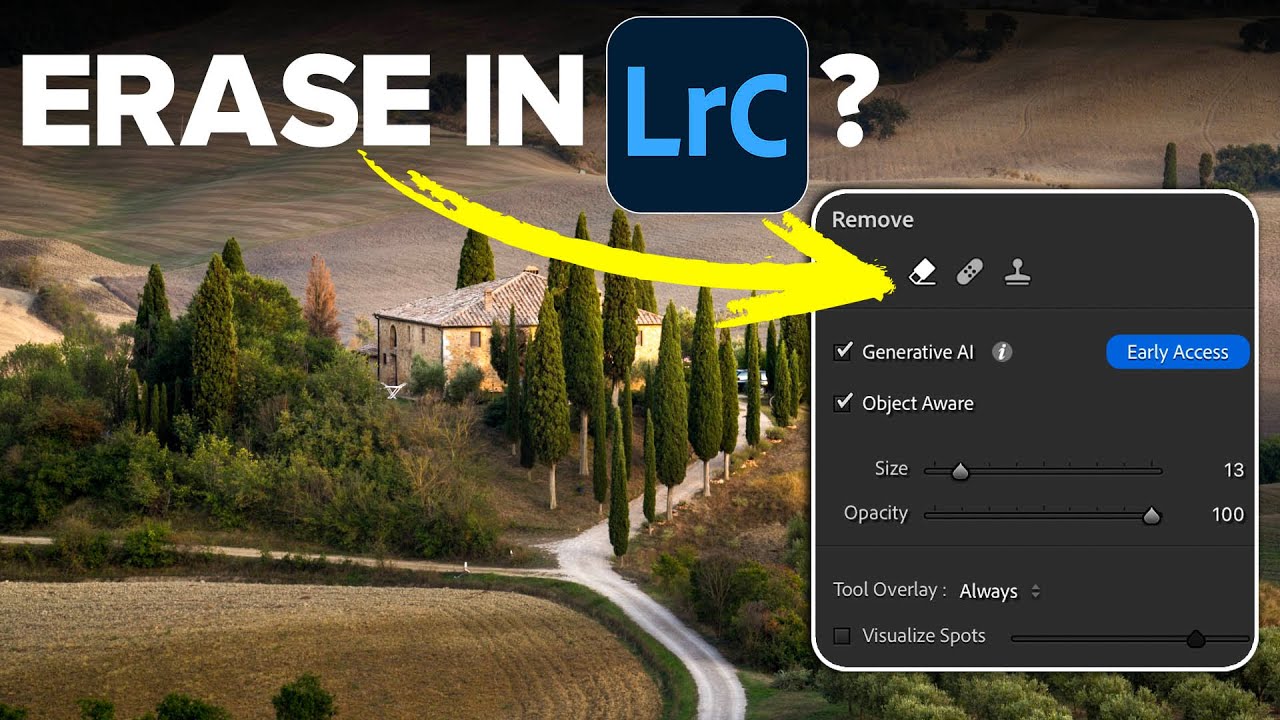
How to Remove Anyone From a Photo in Lightroom (Without Breaking a Sweat)

How to Remove Anyone From a Photo in Lightroom (Without Breaking a Sweat)

There’s a specific kind of frustration that comes with a technically perfect shot that has a stranger’s elbow in the corner, or a lighting assistant visible in the background. I’ve been there more times than I care to admit. Back when I was editing press photos for my band on a zero-dollar budget, every person in the background of a shot was a problem I had to solve in software, usually badly, usually late at night.

Lightroom 12.3 Just Changed How I Handle Noise and Masking — Here's What You Need to Know

Lightroom 12.3 Just Changed How I Handle Noise and Masking — Here's What You Need to Know

Every few months Adobe drops an update that makes me reconsider a chunk of my workflow. Most of the time it’s incremental, a slider moved, a panel reorganized. But the April 2023 release of Lightroom Classic 12.3 landed differently. It touched two areas I deal with constantly: noise reduction and masking. And in both cases, the changes weren’t cosmetic. In this Matt Kloskowski tutorial, he walks through the new Denoise button and the expanded masking options that shipped with version 12.